Prompt Management
Prompt Management decouples prompt engineering from application deploys. Prompt teams maintain templates in a central registry with full version history; applications reference a stable prompt_id that never changes, even as the underlying template evolves.
Routero Prompt Management is a database-backed registry owned by your workspace — distinct from provider-side “prompt caching” and from external integrations such as Langfuse or Humanloop. Templates are stored in the LiteLLM_PromptTable and rendered with Jinja2 at request time.
How it works
When a request carries a prompt_id, the gateway fetches the template, renders its Jinja2 variables, and prepends the rendered messages to the request before the model is called. The hook runs after guardrails and before token saving and memory:
GuardrailHook → PromptHook → TokenSavingPlanHook → MemoryHook → KnowledgeHook → WebSearchHook
prompt_id, prompt_variables, and prompt_version are proxy-internal parameters — they are not forwarded to the upstream provider.
Activation
response = client.chat.completions.create(
    model="openai/gpt-5.5",
    messages=[{"role": "user", "content": "Summarise Q3 results"}],
    extra_body={
        "prompt_id": "analyst-system",
        "prompt_variables": {
            "company": "Acme Corp",
            "language": "English",
            "tone": "executive"
        },
        # Optional: pin a specific version
        # "prompt_version": 2
    },
)
Pass prompt_id top-level or inside metadata (top-level wins). A prompt can also be bound through a policy so it activates automatically.
Concepts
prompt_id — A stable UUID assigned when the prompt is first created. This is what callers store and pass. It never changes across versions.
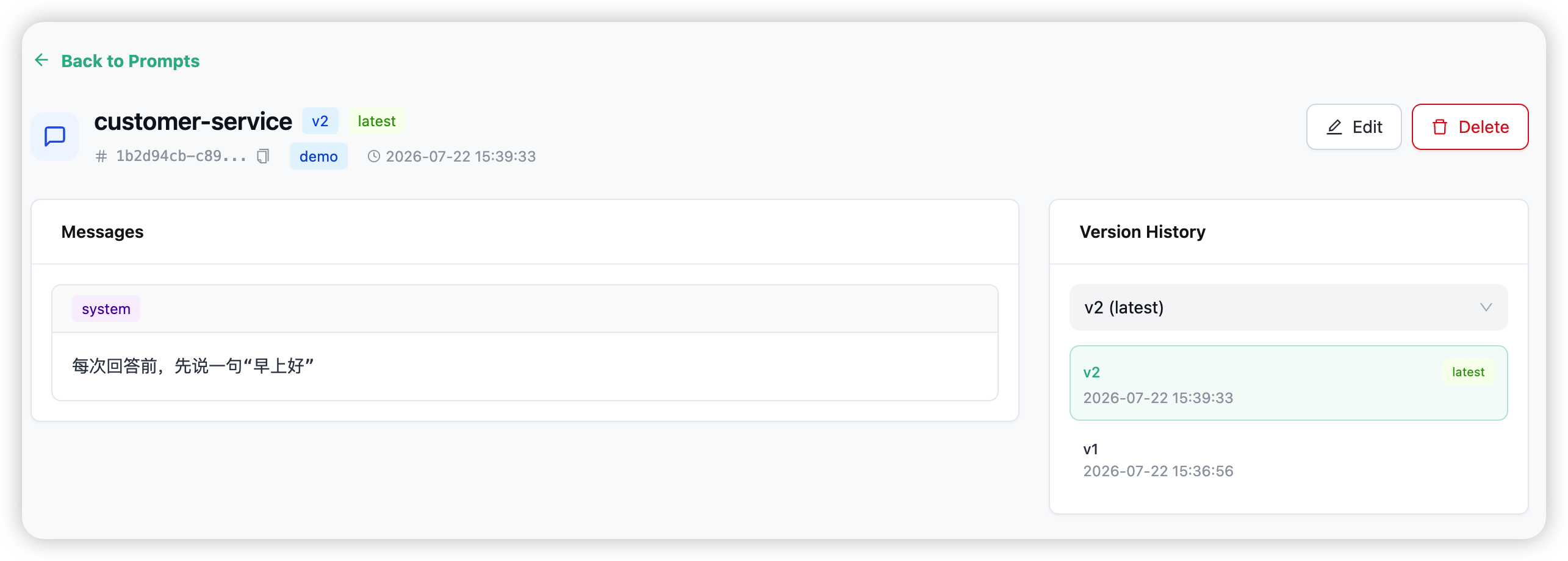
Version — Every update creates an immutable new version: version increments, prior versions are retained, and is_latest flips to the new row. Old versions are never edited in place. There is no version cap — versions accumulate. (An update that changes nothing is a no-op: no new version is created.)
Template — A messages array of {role, content} objects (role is system, user, or assistant) with optional Jinja2 variables. A missing variable renders as an empty string — rendering never raises.
Versioning and pinning
Pin an individual request to a prior version with prompt_version:
extra_body={"prompt_id": "analyst-system", "prompt_version": 1}
Without prompt_version, the gateway always uses the latest version. To move all traffic back to an older template, update the prompt with that template’s content — it becomes the new latest version.
Creating and updating prompts
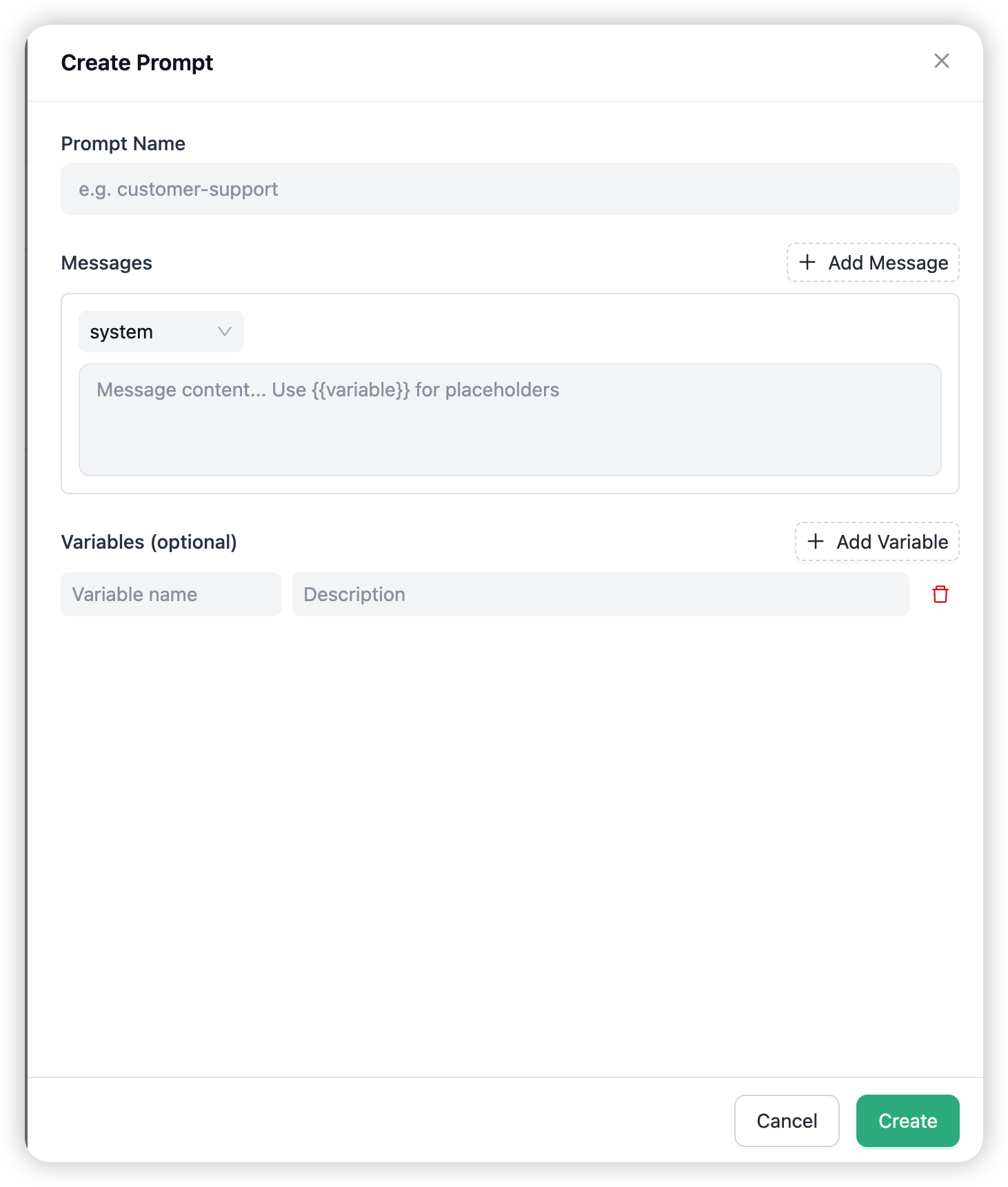
Open Prompts and choose Create Prompt. The form takes a Prompt Name, a repeatable Messages list (role + content, with `` placeholders), and optional Variables (key + description pairs). Editing an existing prompt opens Edit Prompt (New Version) and creates a new immutable version on save. Names are unique within an organisation.
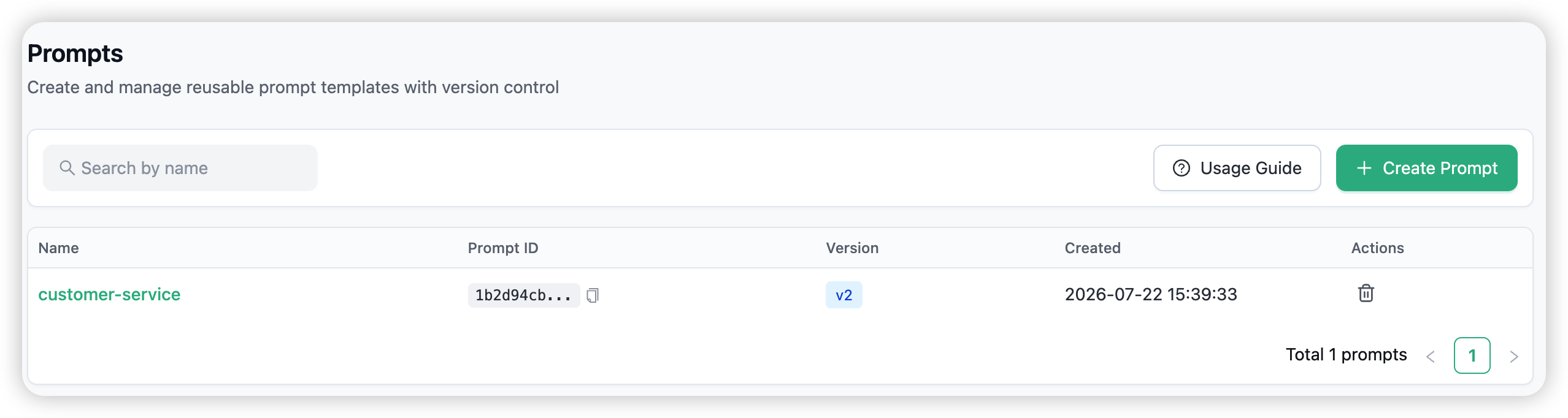
The prompt detail page shows the current version, a latest badge, and a Version History selector to view any prior version.
Caching
Prompt templates are cached in two layers so resolution stays fast under load:
- In-process cache — 5-minute TTL per proxy instance
- Redis cache — 1-day TTL, shared across all proxy replicas
Only the latest version is cached; a specific-version read always bypasses the cache. After a create or update, the latest entry is written immediately. On delete, the entry is invalidated from both layers within roughly 5 seconds.
Organisation isolation and permissions
- Org-scoped. Prompts belong to one organisation. List, read, create, edit, and delete are authorised per-org via Cerbos (
org:prompt:common). - IDOR-protected. Name lookups are scoped by
name + organization_id; a non-admin targeting another org’s prompt is denied. - Who can manage. Proxy admins and organisation admins can create, edit, and delete prompts. A proxy admin with no org selected sees prompts across all orgs.
A prompt with a null organization_id is treated as global (resolvable by any caller), and the database allows it — but you cannot create one through the dashboard, since creating a prompt requires an organisation. Global prompts only exist via direct database seeding.
Combining with the rest of the gateway
- Policies — bind a prompt into a policy to inject it automatically on a key or model.
- Guardrails / memory / token saving — the other AI Capabilities apply to the same request in their normal order.
- Playground — pick a prompt and fill in its variables to test the rendered template against a live model.
→ Policies for binding prompts to keys and models.